Weird C# Quirks and How to Steer Your Team Toward the Pit of Success?

Companion blog for deciders: Warum Softwarequalität eine Führungsentscheidung ist – und über die Lieferfähigkeit Ihres Entwicklungsteams entscheidet
One of the Problems with C#
C# is a language with a long and rather diverse history. It can be used in your run-of-the-mill business applications, for game-dev, frontend with Blazor. It is cloud-native, OO, FP and just generally "everything"-ready.
Now that we covered all the buzzwords (and did the SEO optimization), yes, C# is quite a useful language. In recent years C# got great additions like:
- records: finally a sane default equality and "immutability semantics"
- pattern matching: solving problems by transforming data instead of nesting conditionals five levels deep
- nullable reference types: understanding code is so much simpler if I don't have to keep in mind that ANYTHING could be null
Because C# is a language actually used, it has its quirks, and some of its defaults could be considered insane. This post outlines some of those examples and offers concrete approaches to mitigate or eliminate the issues.
All examples in this article are based on a real product that my team and I are currently working on. The tools and workarounds described are actively being used. Whether or not you implement the exact approaches here is less important than being aware of these quirks and guiding your team toward better defaults with tooling.
Steering Toward the Pit of Success
The term "pit of success" comes from Rico Mariani. It describes that, when the easiest thing to do is at the same time also the right thing to do, the system naturally tends to grow in the right direction.
If we do not have a system using that approach, the right and wrong things are "hidden" and/or implicit. They might be written down in some documentation or on a wiki, or just be in the minds of some (but not all) devs.
To actually make the wrong thing more difficult and the right thing easier, we use tooling. Specifically ArchUnitNET, .editorconfig and BannedApiAnalyzer. See one of the last chapters for more details and how to set them up.
Examples, In No Particular Order
Records Are Inheritable by Default
A record is really just syntactic sugar for a class with a sane default for equality and a less useless ToString default. Semantically records represent the idea of "just data", for some, including my team, even immutable data. Having the concept of inheritance for "just data" seems unnecessarily complex. To avoid deviating too far from "normal" classes, the C# language design team decided to leave many of the defaults from classes intact, including "inheritable by default".
Because the C# default doesn't match with how we think about records, we just enforce that records are sealed by default.
Because we don't often see a reason where inheritance is simpler than other options, we went one step further and enforce that ALL classes must be sealed by default.
The important bit here is "by default". If there is a case, and we do have some, where inheritance makes the code simpler, we just add a suppression.
[Fact]
public void AllClassesAndRecordsShouldBeSealed()
{
    var rule = Classes()
        .That()
        .AreNotAbstract()
        .And()
        .DoNotHaveAnyAttributes(typeof(CompilerGeneratedAttribute))
        .And()
        .AreNotAssignableTo(typeof(ComponentBase)) // blazor components
        .And()
        .AreNotAssignableTo(typeof(LayoutComponentBase)) // blazor components
        .And()
        .DoNotHaveName(nameof(_Imports)) // blazor "global imports"
        .Should()
        .BeSealed();

    rule.Check(Architecture);
}

internal static class SystemArchitecture
{
    public static readonly Architecture ProductNameArchitecture = new ArchLoader()
        .LoadAssemblies(GetAllAssemblies())
        .Build();

    private static System.Reflection.Assembly[] GetAllAssemblies() =>
        Directory
            .GetFiles(AppDomain.CurrentDomain.BaseDirectory, "Replace.This.With.Your.Product.Name.*.dll")
            .Select(System.Reflection.Assembly.LoadFrom)
            .Where(a => a != typeof(SystemArchitecture).Assembly)
            .ToArray();
}
Every non-abstract class must be sealed. Blazor components are excluded because the framework requires inheritance.
DateTime.Now and Its Colleagues
Getting date and time right is difficult. Java has had multiple attempts, and so has C#. The last additions are:
- DateTimeOffset for anything using date AND time
- DateOnly and TimeOnly if only one component is used
- TimeSpan for .. well a span of time
- TimeProvider to get the current time and date
Previously, we used DateTime.Now and DateTime.UtcNow, which are static properties. They make the code difficult to test.
They also deal with DateTime, which doesn't carry timezone information.
There were 100s of libraries providing a "getting the current date and time"-abstraction, in addition to the one every company had built itself.
The .NET documentation does recommend using the newer types, but the guidance is inconsistent, and the framework itself doesn't enforce it. So, we just banned the whole type:
# BannedSymbols.Microsoft.CodeAnalysis.BannedApiAnalyzer.txt

P:System.DateTime.Now;Use this.timeProvider.GetUtcNow() instead, and use DateTimeOffset.ToLocalTime in the frontend.
P:System.DateTime.UtcNow;Use this.timeProvider.GetUtcNow() instead, and use DateTimeOffset.ToLocalTime in the frontend.
P:System.DateTimeOffset.Now;Use this.timeProvider.GetUtcNow() instead, and use DateTimeOffset.ToLocalTime in the frontend.
P:System.DateTimeOffset.UtcNow;Use this.timeProvider.GetUtcNow() instead, and use DateTimeOffset.ToLocalTime in the frontend.
M:System.TimeProvider.GetLocalNow;Use this.timeProvider.GetUtcNow() instead, and use DateTimeOffset.ToLocalTime in the frontend.
T:System.DateTime;Use DateTimeOffset instead
You See Record, You Think Immutable, You Are Wrong
Records were supposed to be C#'s answer to immutable data types. The with-expression lets you create a copy with modified values: var updated = original with { Name = "new" }. Great. A concise syntax for the semantics: "just data, which is immutable."
But there are two things that aren't so nice:
- you can still use
seton record properties, breaking the immutability promise entirely (that's kinda on you, so we don't deal with that here). with-expressions don't use the constructor to create a new instance behind the scenes. They copy the object and then useinitsetters to update the values. This meansinitsetters are silently generated for positional records, which allows code like this:
public sealed record Bar(int Value);

var foo = new Bar(16) { Value = 42 };
// What is foo.Value? It's 42. The constructor argument is silently overwritten.
with-expressions are already syntax sugar. Instead of forcing init properties and enabling this weird object-initializer-overwrite pattern, an alternative would have been to call the constructor with the new values.
The init property issue we simply live with, there's nothing we can easily change there. The set property issue we enforce with an architecture test:
[Fact]
public void ClassesShouldNotHavePropertiesWithSettersOrInitAccessors()
{
    // Cannot prevent init, because the dotnet team chose to use
    // init properties for the c# record-with-expression,
    // instead of using ctor calls.
    IReadOnlyCollection<Writability?> allowedWritabilities = [Writability.ReadOnly, Writability.InitOnly];
    IReadOnlyCollection<string> excludedTypesSuffixes = ["Translations", "OverviewModel"]; // Some types need to be settable, eg Resources

    var rule = Classes()
        .That()
        .AreNotAbstract()
        .And()
        .FollowCustomPredicate(
            c => excludedTypesSuffixes.Any(x => c.Name.EndsWith(x, StringComparison.InvariantCulture)) == false,
            string.Empty)
        .Should()
        .FollowCustomCondition(
            classType =>
            {
                var properties = classType.Members
                    .OfType<PropertyMember>()
                    .Where(p => allowedWritabilities.Contains(p.Writability) == false)
                    .Select(p => p.Name)
                    .ToList();

                var violations = properties.Count > 0
                    ? string.Join(", ", properties)
                    : null;

                return new ConditionResult(
                    classType,
                    properties.Count == 0,
                    violations);
            },
            "have no properties with setters or init accessors");

        rule.Check(SystemArchitecture.ProductNameArchitecture);
    }

    internal static class SystemArchitecture
    {
        public static readonly Architecture ProductNameArchitecture = new ArchLoader()
            .LoadAssemblies(GetAllAssemblies())
            .Build();

        private static System.Reflection.Assembly[] GetAllAssemblies() =>
            Directory
                .GetFiles(AppDomain.CurrentDomain.BaseDirectory, "Replace.This.With.Your.Product.Name.*.dll")
                .Select(System.Reflection.Assembly.LoadFrom)
                .Where(a => a != typeof(SystemArchitecture).Assembly)
                .ToArray();
    }
List<T>.ForEach Silently Eats Async
List<T>.ForEach(Action<T>) takes an Action<T>. However, you can pass an async lambda, which is of type Func<Task>, and it gets implicitly cast to Action.
That means nobody awaits the Tasks.
Because C# uses hot Tasks, the actual logic is at least started. But because nobody awaits it,
we don't control in which order they are synchronized or whether they are synchronized at all.
The faulting behaviour of those Tasks is also tricky: if a task faults because of an exception, nothing immediately happens. Once GC cleans the task up, it depends on the dotnet version you have what happens:
- up until .Net FullFramework 4.0, the whole application crashes.
- after .Net FullFramework 4.0, the event TaskScheduler.UnobservedTaskException is triggered, but the application swallows the exception otherwise.
All in all, the code compiles, it looks correct at first glance, and you are going to have a bad time when this bug hits production.
Task ProcessAsync(Order x);

var items = new List<Order>();

// the async work is NOT awaited
items.ForEach(x => ProcessAsync(x));

// this is safer:
foreach (var item in items)
{
    await ProcessAsync(item);
}
We ban it:
# BannedSymbols.Microsoft.CodeAnalysis.BannedApiAnalyzer.txt

M:System.Collections.Generic.List`1.ForEach(System.Action{`0}); This method allows dangerous, undetected behaviour: when passing an awaitable function (eg Func<Task>) it will implicitly upcast it into an Action. -> you can forget to await it. Neither the compiler nor an analyzer will catch that. Use the foreach keyword for side effects or more specific linq functions for pure code.
Enums Accept Any Integer
In C#, (MyStatus)999 is perfectly valid, even if MyStatus only defines values 0 through 3. And ASP.NET model binding doesn't validate enum values in request bodies by default. It just creates an enum instance with "invalid" integers as backing.
public enum OrderStatus
{
    Pending = 0,
    Processing = 1,
    Shipped = 2,
    Delivered = 3
}

var status = (OrderStatus)999; // No exception!
// status.ToString() returns "999"
There are competing goals here:
a) you want to restrict values to only the valid ones in your business domain b) enums are sometimes used for forward/backward compatibility, where unknown values should pass through.
By default, C# chose b). If you decide that invalid data must not enter your domain, you need to specifically prevent it.
We enforce this at the API boundary with an ArchUnitNET test:
[Fact]
public void AllEnumsUsedByApiOrMessagingNeedToBeValidatedForValidIntOrStringValues()
{
    const string description = "all have the EnumDataType attribute to ensure proper validation in aspnet core and NSB." +
                                " Ensure you use the correct target type: eg. a property of type EnumA should have the following attribute:" +
                                " '[EnumDataType(typeof(EnumA))]'. " +
                                "Not something like '[EnumDataType(typeof(CompletelyDifferentEnum))]'.";

    var rule = MethodMembers()
        .That()
        .AreConstructors()
        .And()
        .AreDeclaredIn(
            Types()
                .That()
                .ResideInAssemblyMatching("^YourProductName\\..*\\.Contracts\\.Api\\..*")
                .And()
                .FollowCustomPredicate(x => x is Class { IsRecord: true }, "is Record"))
        .And()
        .FollowCustomPredicate(x => x.Parameters.Any(z => z is Enum), "is Enum")
        .Should()
        .FollowCustomCondition(
            constructor =>
            {
                var violations = constructor.Parameters
                    .Where(param => param is Enum && HaveEnumDataTypeAttributeOnConstructor(param, constructor.AttributeInstances) == false)
                    .Select(param => $"{nameof(EnumDataTypeAttribute)} is missing on enum argument {param.Name}")
                    .Aggregate((string?)null, (accumulator, violation) => $"{accumulator}{Environment.NewLine}\t -{violation}");

                return new ConditionResult(constructor, string.IsNullOrWhiteSpace(violations), violations);
            },
            description);

    rule.Check(Jms5Architecture);
}

internal static class SystemArchitecture
{
    public static readonly Architecture ProductNameArchitecture = new ArchLoader()
        .LoadAssemblies(GetAllAssemblies())
        .Build();

    private static System.Reflection.Assembly[] GetAllAssemblies() =>
        Directory
            .GetFiles(AppDomain.CurrentDomain.BaseDirectory, "Replace.This.With.Your.Product.Name.*.dll")
            .Select(System.Reflection.Assembly.LoadFrom)
            .Where(a => a != typeof(SystemArchitecture).Assembly)
            .ToArray();
}
Every record in the API contracts that has an enum parameter must decorate it with [EnumDataType(typeof(TEnum))]. ASP.NET's validation pipeline then rejects invalid values at the boundary.
Runtime Errors with new Uri(string)
The single-parameter Uri constructor assumes the string is an absolute URI. Pass a relative path and it works on Linux but throws on Windows.
This platform-specific runtime behavior from a constructor call was by design, according to https://github.com/dotnet/runtime/issues/69308.
# BannedSymbols.Microsoft.CodeAnalysis.BannedApiAnalyzer.txt

M:System.Uri.#ctor(System.String); Use the ctor which receives a UriKind. When we use the banned ctor and pass it a relative path, windows will complain. (https://github.com/dotnet/runtime/issues/69308)
Always use new Uri(path, UriKind.Relative) or new Uri(url, UriKind.Absolute).
DI Container Consistency Only Checked at Runtime
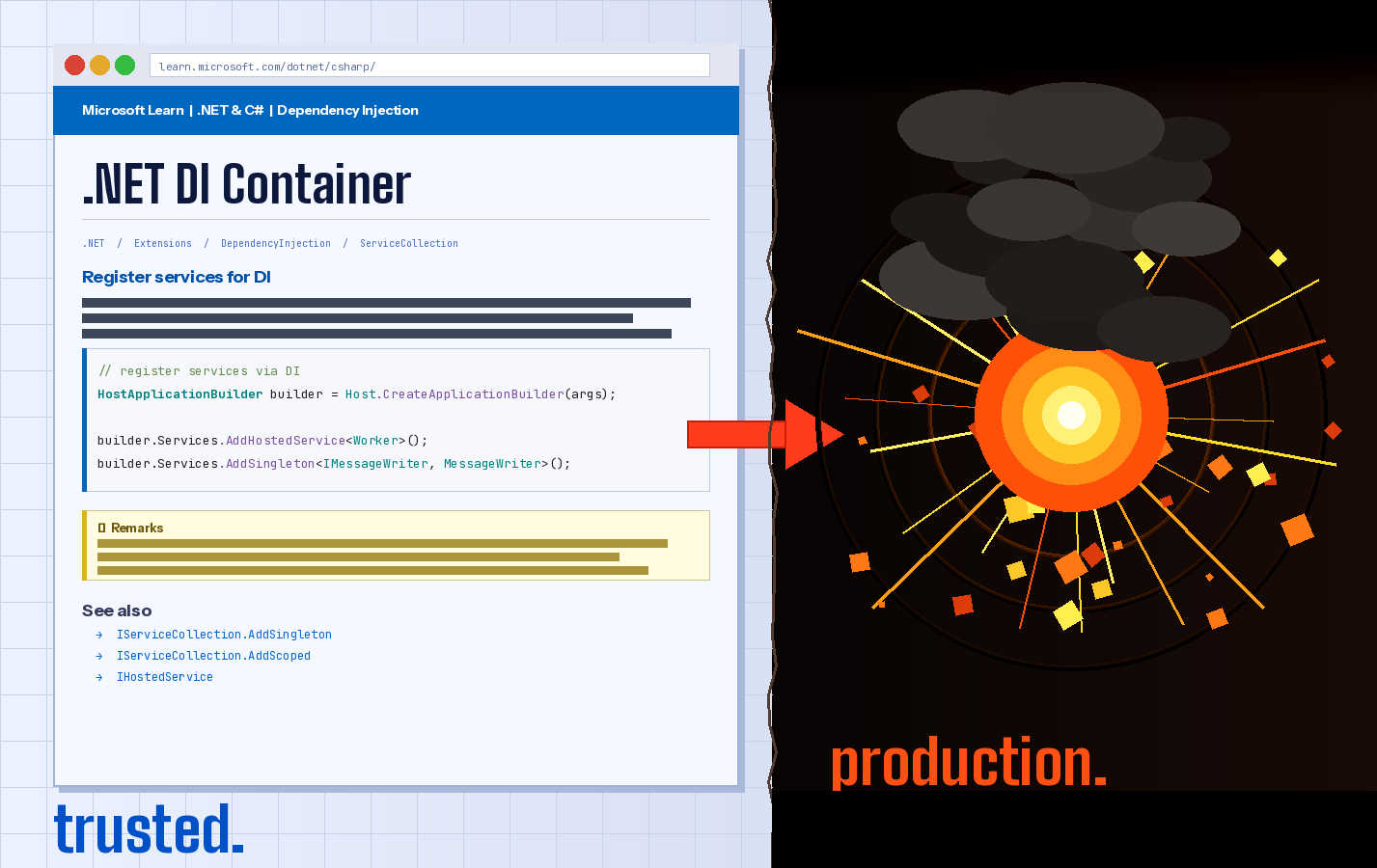
.NET's dependency injection container resolves services lazily at runtime. If you forget to register a service, or register it with the wrong scope, you won't find out until that specific code path is hit.
You obviously have tested every major code path at least once in your automated tests... right? In case you don't belong to those lucky few teams: missing a single services.AddScoped<IFoo, Foo>() will blow up your system when you deploy to integration or staging. You have such an environment... right?
We catch this with an architecture test that builds the entire DI container with strict validation:
[Fact]
public void AllServicesCanBeResolvedInBackend()
{
    _ = Program.CreateHostBuilder([])
        .UseDefaultServiceProvider((_, options) =>
        {
            options.ValidateScopes = true;
            options.ValidateOnBuild = true;
        })
        .Build();
}
We run this test in every CI build, not when your user hits the one code path you forgot to test.
Extension Blocks Split Parameters Across Two Locations
C# 14 introduces extension blocks, which is a new syntax to group extension members. Classic extension methods put all parameters in the function signature:
// Classic: all parameters together
public static IEnumerable<T> ValuesGreaterThan<T>(
    this IEnumerable<T> source, T threshold)
    where T : INumber<T>
    => source.Where(x => x > threshold);
Extension blocks move the receiver to the block header:
// Extension block: parameters split across two locations
extension<T>(IEnumerable<T> source) where T : INumber<T>
{
    public IEnumerable<T> ValuesGreaterThan(T threshold)
        => source.Where(x => x > threshold);
}
Now the two parameters of the function are defined apart from each other. That's fine for one or two small extension methods in a block. Once you have several, they grow further and further apart. For multi-parameter methods, it's a step backward in readability.
Extension methods were a great idea precisely because they behaved like regular functions — all inputs in the signature, with fluent call syntax as a bonus. Extension blocks break this by moving one parameter to a different syntactic location, reintroducing the constructor/method parameter split that plain functions avoid.
# .editorconfig
# extension blocks lead to the issue where a function on A taking an
# additional parameter B has A at the top in the extension block syntax
# and B on the function itself -> too far apart
resharper_convert_to_extension_block_highlighting = none
We disable the IDE suggestion to convert classic extension methods to extension blocks.
Tooling
BannedApiAnalyzers
is a Roslyn analyzer that allows you to ban specific APIs. You can also add a suggestion for which API to use instead.
Use nuget package: Microsoft.CodeAnalysis.BannedApiAnalyzers
And add a BannedSymbols.*.txt file to your solution
The syntax to specify an API is a bit tricky, especially with generic methods / types. I have not yet found any useful documentation (appart from the analyzer source code) which would help finding the right incantation for banishing a certain API.
BUT: claude (or any other LLM) does help enormously here.
ArchUnitNET
brings architecture fitness tests to .NET, inspired by Java's ArchUnit. You write "normal" xUnit tests but can use a library to verify structural rules about your codebase.
use nuget package: TngTech.ArchUnitNET.xUnit
The tests usually consist of 2 parts:
- the rule(s) you want to verify
- the set of types / assemblies / things the rule should be checked for
You can see this split in the examples above. We moved the second part into a dedicated static class to be reused by all the tests.
I was recently recommended NetArchTest as a easier to use version. I do agree that the way ArchUnitNET wants you to specify some rules, arent really intuitive. So NetArchTest might be a alternative, BUT: i have not tried it out myself.
.editorconfig
enforces code style conventions that both the IDE and the build (mostly) respect. For those coming from "native" FxCop and Stylecop, this is the successor place for such configuration.
Conclusion
When you finally find the bug at 03:16 on a Saturday morning, which has been silently corrupting production data, you might want to curse C# and its language designers. Feel free to do so. It's cathartic, believe me.
But also remember that those same designers have kept a 20+ year old language alive and useful to millions of developers. They are probably allowed to occasionally come up with a default that disagrees with common sense.
So how do you deal with a language that is merely useful rather than perfect? As I see it, you have a few options:
- Keep cursing the language designers. Tempting, but not particularly productive.
- Jump ship to another language. Interesting, but that language will have its own quirks.
- Use tooling like tests, analyzers, compiler rules, to make the right thing the easy thing and the wrong thing the loud thing.
We chose the third one. Compilers never get tired of telling you that you did something wrong. If anything, they seem to enjoy it..
What quirks have bitten you? How do you deal with them? Let me know in the comments.
Further Reading
- Pit of Success — Rico Mariani coined the term. A well-designed platform makes it easy to do the right thing and hard to do the wrong thing.
- ArchUnitNET — Architecture fitness tests for .NET, inspired by Java's ArchUnit.
- BannedApiAnalyzers — Roslyn analyzer that bans specific APIs at compile time.
- Mark Seemann — Blog on encapsulation, pit-of-success design, and functional C# patterns.
- bbv dotnet template — A good set of defaults to either get started or compare against in a brownfield product.
- C# 14 Extension Members — Official .NET blog post exploring the new syntax.
Attributions
Content: Jeremy. Proofread by @CaringDev, @shpendke, @binerdy and Claude (LLM by Anthropic)
Code examples: Jeremy. Licensed under MIT
Cover image: Generated with Claude (LLM by Anthropic)